To do a solar panel scheme status check, open the Ballot Result page at cmsolarscheme.punjab.gov.pk/application-result, enter your electricity bill reference number and the captcha, and press Submit. If you applied online, you can also sign in to the portal with your email and password to see your application status. The official result page asks for the reference number, not the CNIC. Help: 042-99030204. As of 20 November 2026, Phase 2 has no registration or ballot yet.
| Detail | Information |
|---|---|
| Scheme | Chief Minister Punjab Free Solar Panel Scheme (Energy Department, portal by PITB) |
| Ballot result page | cmsolarscheme.punjab.gov.pk/application-result |
| What it asks for | Reference Number (from your electricity bill) and Captcha |
| Portal account status | Sign in with the email and password you registered; the user manual says you can view your application status there |
| Status by CNIC only | No official CNIC-only status page is published |
| Status by SMS | No official SMS status code is published |
| Phase 1 ballot | Held 3 March 2025 (reported by Dawn and ARY News, 4 March 2025) |
| Phase 1 result | 89,869 households received panels (officials, 19 November 2026) |
| Helpline and email | 042-99030204; support@cmsolarscheme.punjab.gov.pk |
| Phase 2 | Approved 19 November 2026; no registration, ballot or result dates published |
People search "solar panel scheme check status", "cm solar scheme ballot result" and "solar panel scheme status check by CNIC" because they applied in Phase 1 and are still waiting, or because they heard about Phase 2. This guide covers only the official ways to check, what each stage means, and what to do if you are stuck. We opened the official pages on 20 November 2026. To learn how applying worked, read our CM Punjab solar panel scheme online apply guide. For the scheme news and rules, see our Maryam Nawaz solar panel scheme 2026 guide.
Official Ways to Check Your Solar Scheme Status
Official sources describe only a few channels. Anything else, such as a "status app" or a random SMS number, is not on any government page we checked.
| Method | What you need | What it tells you | Source |
|---|---|---|---|
| Ballot Result page | Bill reference number, captcha | Your ballot result | Official portal |
| Portal sign-in | Registered email and password | Your application status (for online applicants) | Official user manual |
| Helpline | Bill reference number and CNIC ready | Help with your case | User manual; punjab.gov.pk helplines list |
| Reference number, CNIC, short message | Written inquiry | Official portal |
Many websites offer a "check status by CNIC" box. The official Ballot Result page asks for your bill reference number, not your CNIC. Do not type your CNIC into private sites that promise to show your result. They cannot see government records.
How to Check the CM Solar Scheme Ballot Result, Step by Step
- Take your electricity bill. Use the bill of the connection you applied with. Find the reference number near the top.
- Open the result page. Type cmsolarscheme.punjab.gov.pk/application-result in your browser, or open the portal home page and click "Application Result".
- Check the address bar. It must end in .punjab.gov.pk. The page title reads "Ballot Result".
- Enter the reference number in the "Reference Number" box, exactly as printed, with no spaces in the middle.
- Type the captcha. If you cannot read it, press the refresh arrow to get a new one.
- Press Submit and read the message on screen.
The result page was online when we checked on 20 November 2026. We could not test the messages it shows, because that needs a real reference number. The portal does not publish a list of possible messages, so read the screen carefully and take a screenshot.
If it shows nothing or an error
- Check that you used the same bill reference number you registered with. Each meter has its own number.
- If your family has two bills, try the one that was used in the application.
- Try again later. Government sites slow down when many people check at once.
- If it still fails, call 042-99030204 or email support@cmsolarscheme.punjab.gov.pk.
How to Check Status by Signing In (Online Applicants)
If you registered on the website in Phase 1, the official user manual says that after you submit, you can view the status of your application. The manual shows it as an "in process" application.
- Open cmsolarscheme.punjab.gov.pk and click Login.
- Enter the email address and password you used when registering.
- After you sign in, look at your application page for the current status.
Forgot the password? Use the reset option on the sign-in page if it is shown, with the same email. If you no longer have that email, ask the helpline. Do not create a second account.
What If You Applied by SMS to 8800?
Phase 1 allowed SMS registration to 8800 with your bill reference number and CNIC. Official sources do not publish a separate SMS code for checking status. Use the Ballot Result page with your bill reference number instead, or ask someone you trust to check it for you on their phone. Keep any SMS you received from 8800, because it is proof that you applied.
What Each Stage Means
The portal lists six stages. Exact on-screen status words are not published, so this table explains the stages in plain words.
| Stage (official order) | What it means | What you should do |
|---|---|---|
| 1. Registration on web portal (or SMS) | Your request reached the system | Keep the reference number, email and password safe |
| 2. Add details | Your bill details were linked to your account | Make sure the name and address match your bill |
| 3. Check eligibility | The system checked units, load, meters and payment record | Nothing; this is automatic |
| 4. Balloting of registered consumers | A computerised draw picked winners from eligible applicants | Check the Ballot Result page |
| 5. Physical verification of qualified consumers | A team visits to confirm your home, identity and meter | Be available, keep CNIC and bill ready |
| 6. Successful installation | The system is fitted at your home | Check all parts are installed; follow safety instructions |
Winning the ballot is not the end. The Energy Department page says winners go through physical verification by the district administration before installation.
Phase 1 Ballot and Installation Dates
If you are waiting on a Phase 1 application, this timeline shows how long each step took. Each date is from an official page or a named report.
| Date | What happened | Source |
|---|---|---|
| 6 December 2024 | Registration opened by portal and SMS 8800 | Punjab government press release |
| 5 January 2025 | Last date for registration | punjab.gov.pk scheme page; Business Recorder |
| 3 March 2025 | Computerised ballot held by CM Maryam Nawaz; 94,483 systems planned for the first phase | Dawn and ARY News, 4 March 2025 |
| March to June 2025 | Physical verification by district teams: identity, location tagging, ruling out multiple meters | International Growth Centre, 26 May 2026 |
| July 2025 | Installation started by contractors hired by the government | International Growth Centre |
| December 2025 | Installation still ongoing | International Growth Centre |
| 19 November 2026 | 89,869 households had received panels; Phase 2 approved | ProPakistani, 19 November 2026 |
At the launch, officials had said installation would start by the end of March 2025 and finish by the end of July 2025. The Energy Department page gave 30 September 2025 as the completion timeline. Real installation started later than both targets, so delays were common.
How many people were drawn? The International Growth Centre researchers say 361,074 eligible households applied. About 70 percent of eligible applicants in the up-to-100-unit group were selected, compared with about 23 percent in the 101 to 200 unit group. So if you used more units, your chance in the ballot was lower.
What Happens at the Verification Visit
Dawn and ARY reported in March 2025 that verification uses the reference number and CNIC on your monthly bill. The portal FAQ adds that if the meter is in someone else's name, the team checks your residence and your relationship with the meter owner.
- Keep the original CNIC of the applicant and the latest bill ready.
- If the meter is in a landlord's or relative's name, keep that person's CNIC copy and proof of your relationship or tenancy.
- Make sure there is only one meter at the house.
- Officials do not need your bank PIN, OTP or any payment. Refuse anyone who asks.
Official sources do not say whether you get an SMS before the visit, so stay reachable on the mobile number you registered.
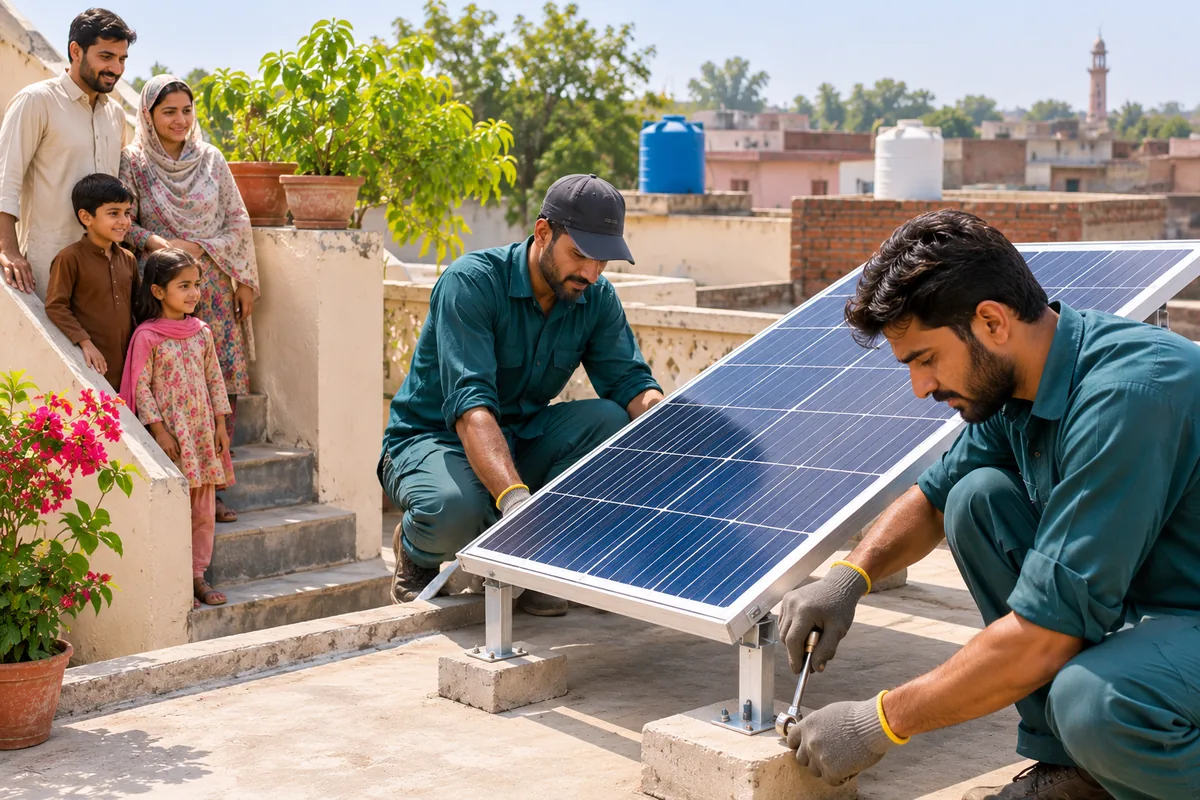
Installation Stage: Vendors and What You Receive
The portal FAQ says the government assigns authorised vendors to install the systems at beneficiaries' homes. You do not choose or pay the installer.
- System size: 550 watts for homes up to 100 units, 1,100 watts for 101 to 200 units (Phase 1).
- Cost: free. Dawn reported the systems were installed free of cost.
- Linked to your CNIC: panels and inverter are tied to the winner's CNIC to stop theft and resale.
- Safety: the Energy Department publishes safety instructions for rooftop solar users on energy.punjab.gov.pk. Keep children away from wires and the inverter.
If a vendor asks for money for transport, wiring or "fitting charges", note their name and the date, and report it through the channels below before paying anything.
Complaints and Helpline
Use official channels only, in this order:
- Scheme helpline: 042-99030204. Listed in the official user manual and under "Free Solar Panel Scheme" on the punjab.gov.pk helplines page.
- Email: support@cmsolarscheme.punjab.gov.pk. Write your name, bill reference number, CNIC, district and the problem in a few lines.
- CM Complaint Center: 0800-02345. Listed on punjab.gov.pk for complaints to the Chief Minister's office.
- Maryam ko Batayn: 1000. Also listed on the punjab.gov.pk helplines page.
Keep a note of every call: date, time and any complaint number you are given. Do not trust helpline or WhatsApp numbers shared in social media posts.
If You Were Not Selected
Most applicants were not drawn, simply because there were far more eligible families than systems. Not being selected does not mean you did anything wrong.
- Officials have not said whether Phase 1 applicants who were not drawn will be carried into Phase 2.
- Keep your old login, your SMS proof and your bills.
- Keep paying on time and keep one meter, because Phase 1 excluded late payers and multiple-meter homes.
- Check other help you may qualify for in our Maryam Nawaz all schemes list 2026.
What Phase 2 Applicants Should Expect
Phase 2 was approved on 19 November 2026 for 100,000 beneficiaries. As of 20 November 2026 the portal still says registrations are closed, and no ballot or result date exists for Phase 2. You cannot check a Phase 2 status yet, because nobody has applied for it.
If Phase 2 follows Phase 1, expect registration, then a ballot some weeks after the last date, then verification and installation over several months. Watch cmsolarscheme.punjab.gov.pk and energy.punjab.gov.pk for the official notice, and use our online apply guide to get your documents ready.
Frequently Asked Questions
Open cmsolarscheme.punjab.gov.pk/application-result, enter your electricity bill reference number and the captcha, and press Submit. Online applicants can also sign in with their email and password to see their application status.
No official CNIC-only status page is published. The official Ballot Result page asks for your bill reference number. Do not enter your CNIC on private sites that claim to show results.
On the Ballot Result page of the official portal, linked as "Application Result" on cmsolarscheme.punjab.gov.pk. It was online on 20 November 2026.
The Chief Minister held the computerised ballot on 3 March 2025, as reported by Dawn and ARY News on 4 March 2025. About 94,483 systems were planned for the first phase.
No official SMS status code is published. 8800 was used to register in Phase 1. Check your result on the Ballot Result page with your bill reference number.
After physical verification. In Phase 1, verification ran from March to June 2025 and installation started in July 2025, still ongoing in December 2025. No fixed date per household is published; ask the helpline 042-99030204 about your case.
No. Registration was free and Phase 1 systems were installed free by government-assigned vendors. Report anyone who asks for money.
Your identity, your home and your meter, using the reference number and CNIC on your bill. If the meter is in someone else's name, the team checks your residence and relationship with the owner.
Call the scheme helpline 042-99030204 or email support@cmsolarscheme.punjab.gov.pk. If it is not resolved, use the CM Complaint Center 0800-02345 or Maryam ko Batayn 1000, both listed on punjab.gov.pk.
Not yet. Phase 2 was approved on 19 November 2026, but registration has not opened, so there is no Phase 2 application or ballot to check.
Disclaimer: Apna Ghar Guide is an independent information site, not a government website. Always apply through official portals. Information verified from cmsolarscheme.punjab.gov.pk (home page, FAQ, user manual and Ballot Result page, 20 November 2026), punjab.gov.pk (scheme page, helplines list and 6 December 2024 press release, 20 November 2026), energy.punjab.gov.pk (20 November 2026), ProPakistani (19 November 2026), International Growth Centre (26 May 2026), Dawn and ARY News (4 March 2025) and Business Recorder (6 January 2025).