

Quick answer: the official registration link is sindhyouthcard.gos.pk/register/youth. It sends you to the Sindh Youth Card app on Google Play, where you create an account with your CNIC (or B-Form if under 18), verify a 6-digit OTP and NADRA biometrics, complete your profile and apply for the card. There is no web or PDF form, no fee and no "www" in the address.
1. Official Registration Link
 sindhyouthcard.gos.pkOfficial portal for registration and updatesRegister now (opens in a new tab)
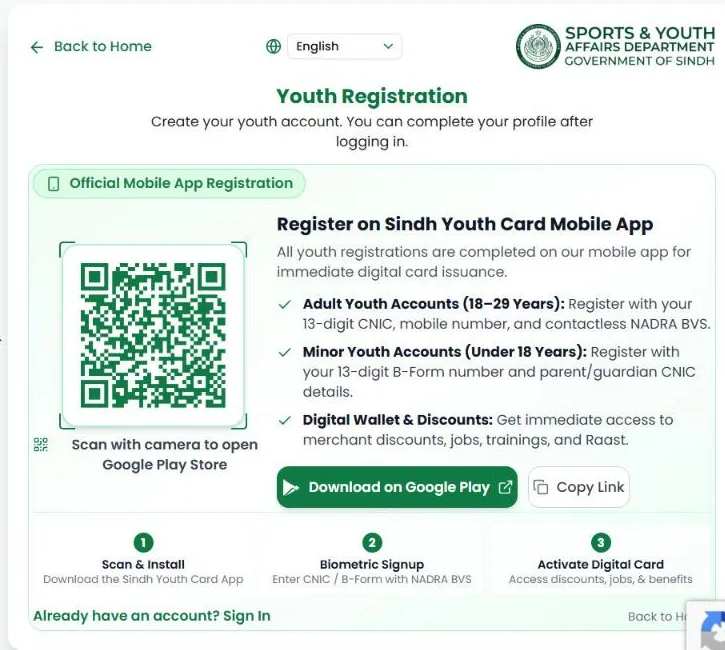
Captured from the official website on 24 November 2026. The page says all youth registrations are completed in the mobile app.
 Am I Ready to Register?
Tick what you have. Nothing is sent anywhere.
Tick the boxes to see what is missing.
2. Step-by-Step Registration Process
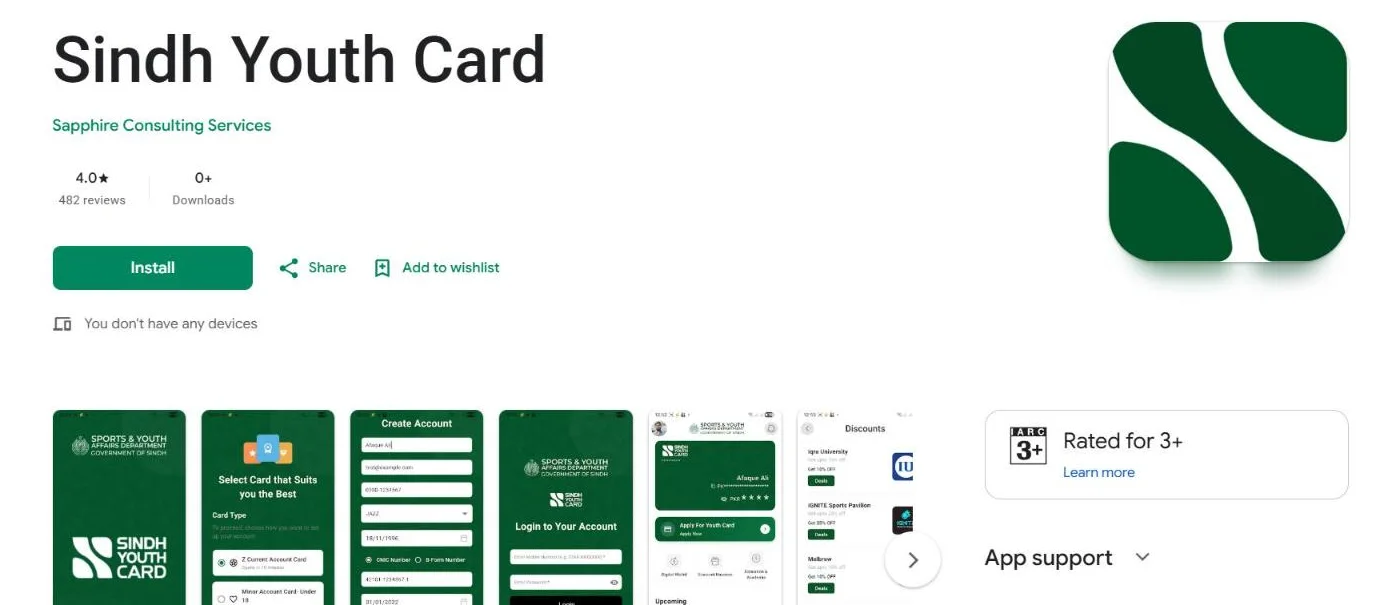
Every step below matches the official website and the app's own Google Play screenshots.
- Open sindhyouthcard.gos.pk
Type sindhyouthcard.gos.pk (no www) and tap Register, or open sindhyouthcard.gos.pk/register/youth directly.
 Install the official app
Scan the QR code with your phone camera or tap Download on Google Play. The app is "Sindh Youth Card" by Sapphire Consulting Services.
 Choose your card type
The app asks you to select a card: the Z Current Account Card (shown as opening in about 10 minutes) or the Minor Account Card for under 18s.
 Create your account
Enter your full name, email, mobile number, mobile network, date of birth, then choose CNIC Number or B-Form Number and add the number and CNIC issue date.
 Verify mobile and NADRA
Enter the 6-digit OTP sent to your mobile, then complete the contactless NADRA biometric verification (BVS) in the app.
 Complete your profile
Fill the profile steps: personal details, address, guardian (for under 18s), education, employment, documents and CV.
 Apply for the card
Tap Apply for Youth Card. Your application is reviewed by the admin team; when approved your card becomes active.
3. Registration Form: Every Field Explained
This is everything the Sindh Youth Card registration form asks for, so you can keep it ready before you start:
Field list taken from the app's Google Play screenshots and the official website's signup pages. Use your own details only.
4. Adult Card and Minor Card
Adult Card (18 to 29)
- Selected automatically when your date of birth puts you at 18 or above
- Register with your own 13-digit CNIC
- The app offers a Z Current Account Card (Zindigi)
 Minor Card (15 to 17)
- Selected automatically when your date of birth puts you below 18
- Register with your 13-digit B-Form number
- Parent or guardian CNIC details are needed
5. After Registration: What Each Status Means
After you apply for the card, the Apply for Card page in your account shows one of these statuses (wording from the official account pages):
 Submitted, waiting for reviewYour card application has been submitted and is waiting for admin review.PendingActiveYour Youth Card is active and card features such as discounts and the wallet are available.Active
 RejectedCorrect your details in Profile Settings and submit the application again.Rejected
 InactiveYour card is inactive and card-related features are restricted. Contact the helpline.Inactive
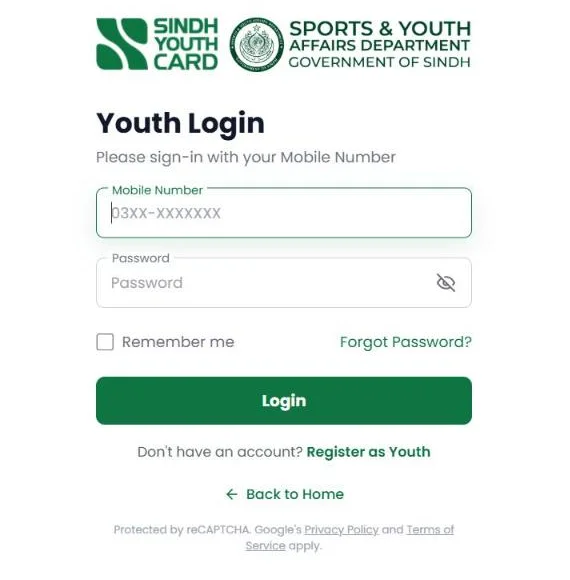
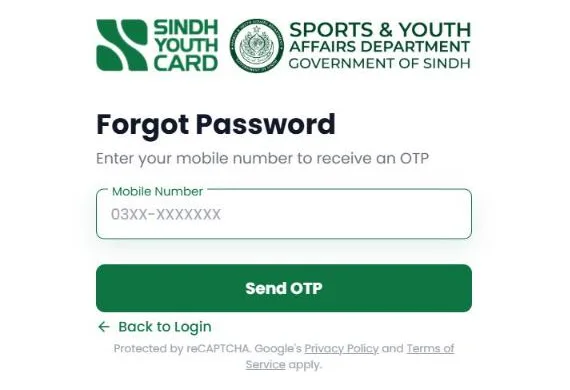
To see it, sign in with your mobile number and password. Our check status guide explains login and password reset.
Required Documents
- CNIC (for 18 to 29 years)
- B-Form (for 15 to 17 years) and parent or guardian CNIC
- Sindh domicile
- Active mobile number
- Email address
- Education details for your profile
Eligibility Summary
6. Important Registration Information
- Registration is through the official app
- Use your own CNIC or B-Form
- Give correct, complete details
- NADRA verification activates the card
 Registration is free
7. Registration Problems and Solutions
8. Frequently Asked Questions
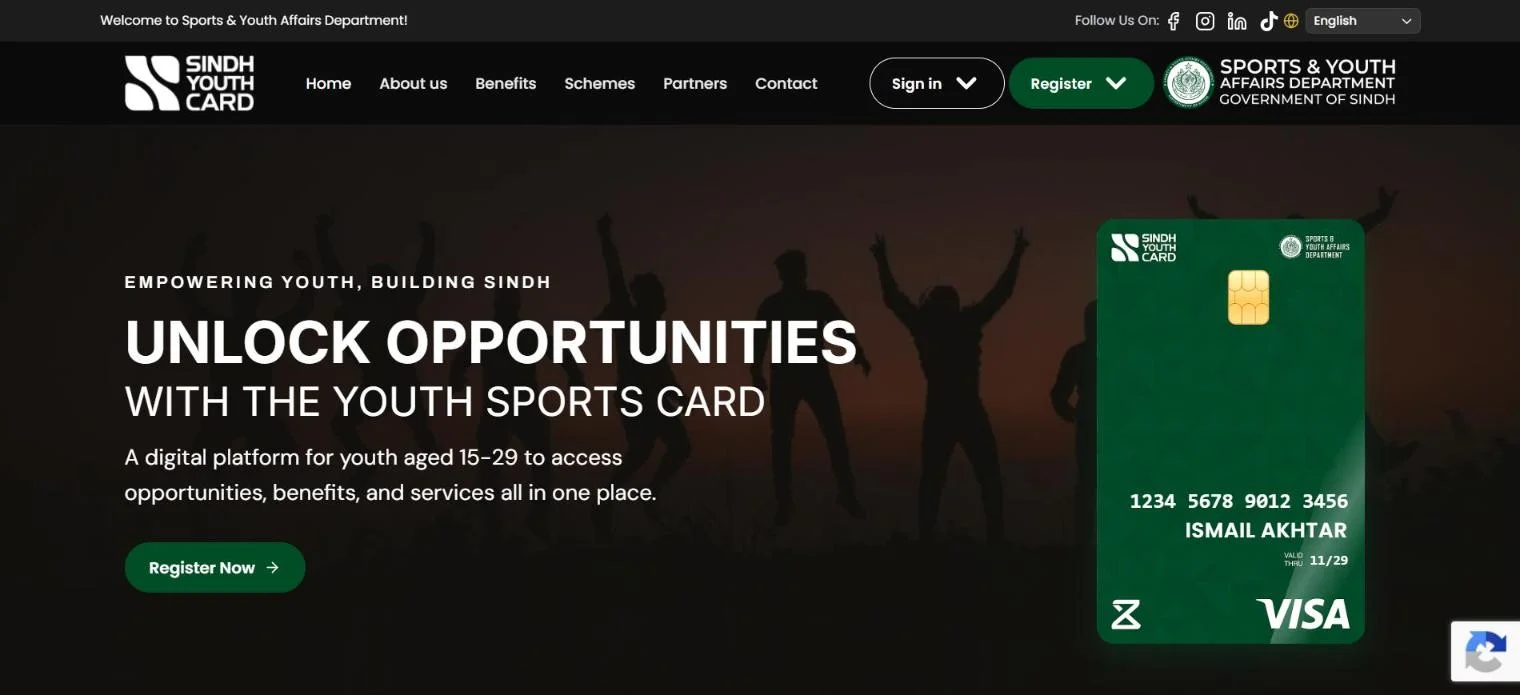
It is the official Sindh Youth Card portal of the Sports and Youth Affairs Department, Government of Sindh. It has the registration page, Youth Login, Forgot Password and Partner Login.
Open sindhyouthcard.gos.pk and tap Register, or go straight to sindhyouthcard.gos.pk/register/youth. The page sends you to the official Sindh Youth Card app on Google Play. Install it, create your account with your CNIC or B-Form, verify your mobile number and NADRA biometrics, complete your profile and apply for the card.
No. Type it without "www". On 24 November 2026 www.sindhyouthcard.gos.pk did not exist, so it will not open. The correct address is sindhyouthcard.gos.pk.
There is no PDF or paper form. The registration form is inside the official mobile app. It asks for your name, email, mobile number, mobile network, date of birth, CNIC or B-Form number and CNIC issue date, as shown in the app's Google Play screenshots.
Yes, if you are under 18. Minor accounts register with a 13-digit B-Form number and the CNIC details of a parent or guardian. The app then selects the Minor Card automatically from your date of birth.
Only with a B-Form if you are 15 to 17. At 18 or above you need your own 13-digit CNIC.
No education level has been published as a rule. The profile asks for your education details, but no minimum qualification has been announced.
No fee was mentioned by the government or on the official website. Do not pay anyone to register you.
Check that the mobile number is active, has signal and is the one you entered. Wait a minute before asking for a new code. If it still does not arrive, call 021-99203009.
You complete your profile and apply for the card. Your account then shows the status: submitted and waiting for admin review, active, rejected (correct your profile and submit again), or inactive.
No last date has been announced. Registration opened on 23 November 2026 and 100,000 cards are planned in the first phase, so register early.
Sign in at sindhyouthcard.gos.pk/youth/login with your mobile number and password, or in the app, and open Apply for Card. See our check status guide for details.
The QR code on the official registration page opens the Sindh Youth Card app on Google Play. Only scan the QR code shown on sindhyouthcard.gos.pk itself, not one forwarded on WhatsApp.
Yes. The official website has English, Urdu and Sindhi language options at the top of the page.
Note: registration is only through the official app on Google Play, linked from sindhyouthcard.gos.pk. There is no separate web application form, and no agent or website can register you for a fee.
Disclaimer: ApnaGharGuide.pk is an independent information website, not a government website, and cannot register anyone. Screenshots were captured on 24 November 2026 from sindhyouthcard.gos.pk and the official Google Play listing without signing in. The steps may change, so follow the official app.